
Run the whole job in one place, from quote to install
Your customer's specs, photos, and approvals live on one page, so nothing gets retyped from texts.
Where jobs go wrong
- Sizes, sink models, and seam locations come in by text, a few at a time.
- Someone retypes them into the cut outline.
- One wrong number turns into a recut slab.
Countertop Finder keeps the job on one page that you and your customer both work from.
How a job runs
The screenshots come from a sample job between Sample Stone Co and a customer named Dana.
-
The request arrives with the details
Customers send pieces, sizes, edge, sink, and photos before you call them. Every question has an "I'm not sure" answer, so you hear from people who haven't measured yet.
Answer them and send your quote from the same page.
-
Quote with your terms, then track what's due
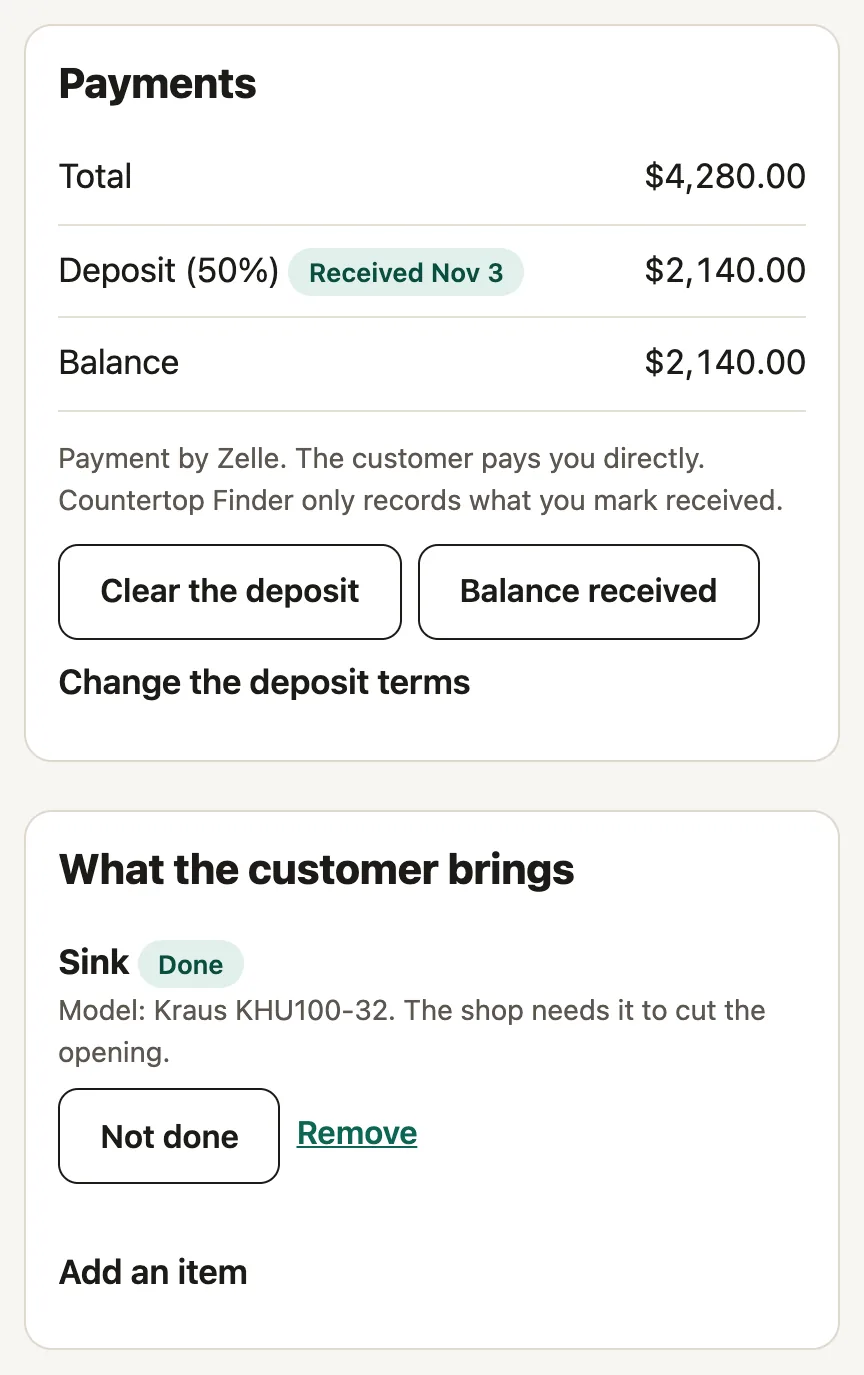
Send the price with your deposit percentage and how you take payment. When the customer accepts, the job page opens for both of you.
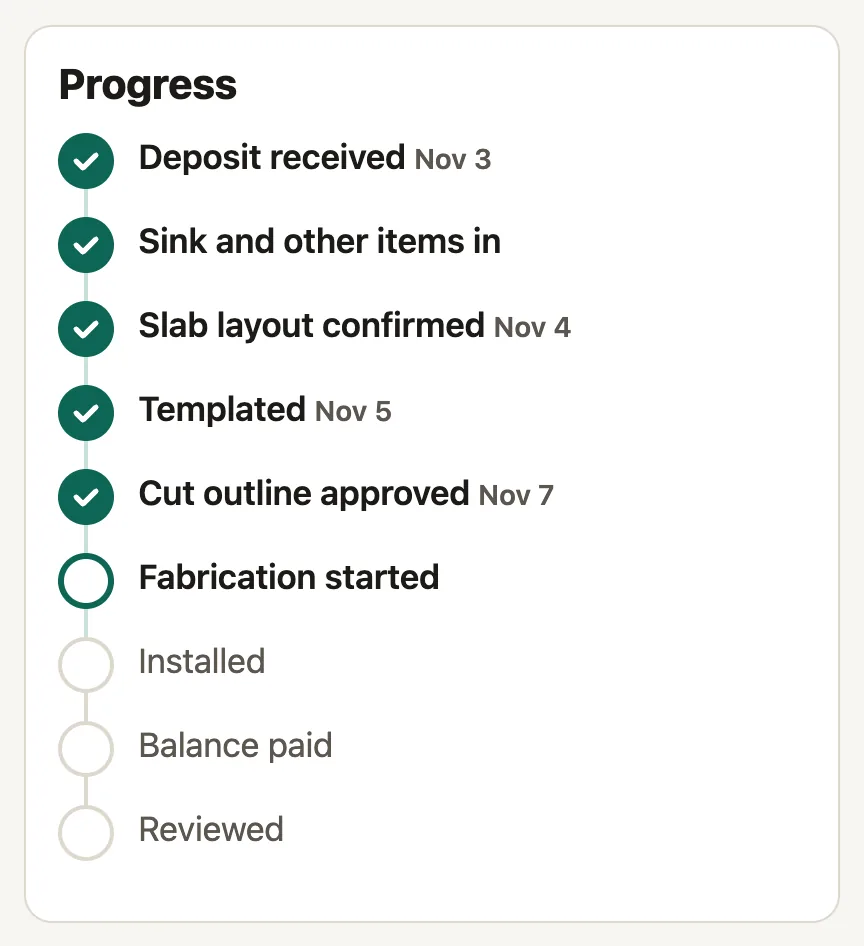
Customers pay you directly. You mark the deposit received, and a checklist tracks what the customer brings, like the sink you need to cut the opening.
-
Confirm the slab layout
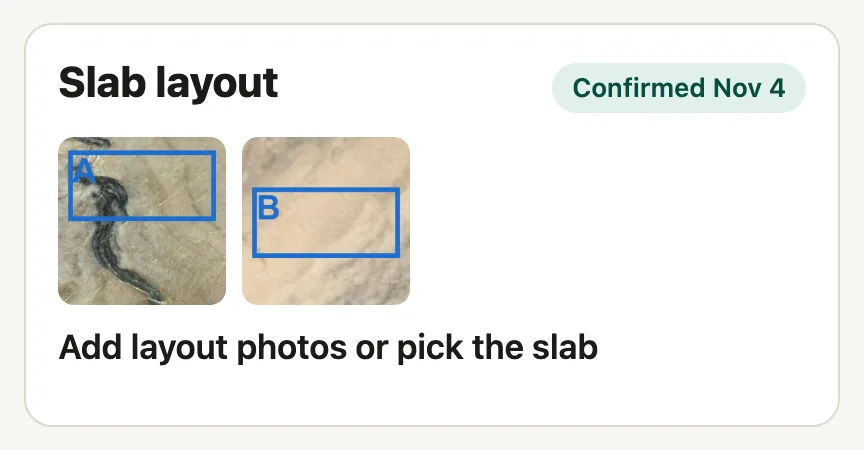
Post photos of the slab with each piece taped off. The customer confirms the layout on their page. New photos ask them to confirm again.
-
Work from one spec sheet
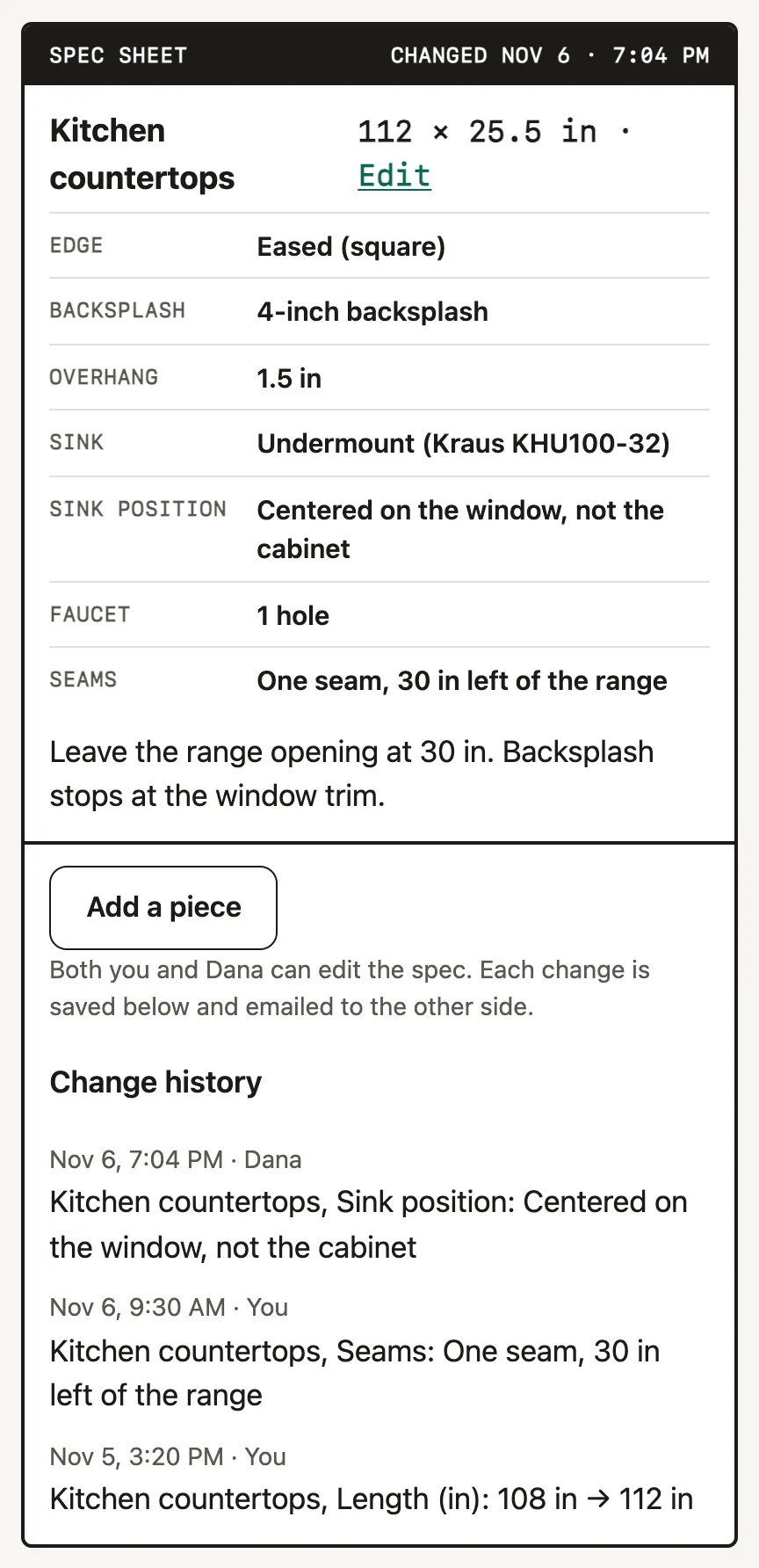
Sizes, edge, overhang, sink position, and seams live on one sheet that you both edit. Each change is saved with who made it and emailed to the other side.
The sheet locks when you start cutting.
-
Get the cut outline approved before you cut
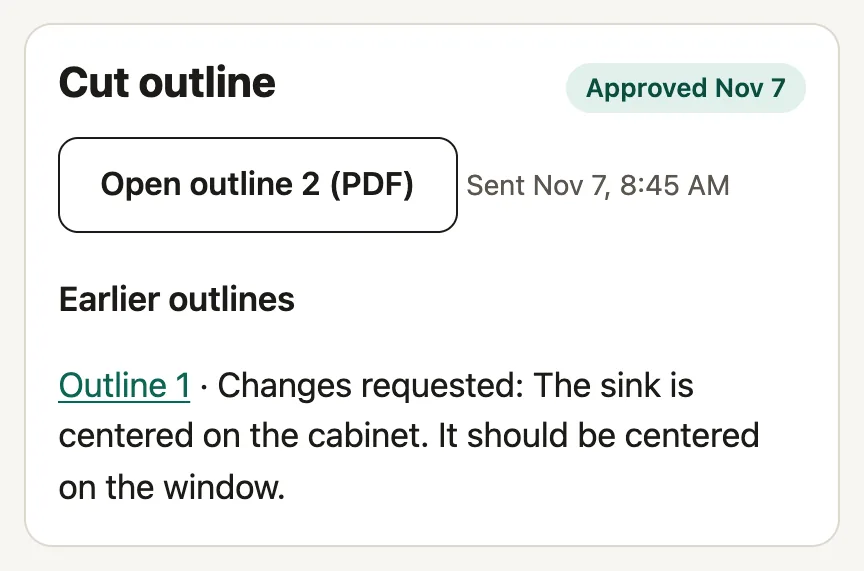
Upload the outline from your system as a PDF or photo. The customer checks it against the spec, then approves it or says what's wrong.
Fabrication stays locked until the latest outline is approved. If the spec changes after that, you send a new outline.
-
Schedule, install, and get reviewed
Set the template and install dates, and the customer gets an email each time. After install, post photos of the finished work and mark the balance paid.
Only customers with a finished job can leave a review, so the reviews on your listing come from real jobs.
What your customer gets
- A private link to their job page, with no account or app.
- An email at each step.
- Messages with you on the same page as the spec.
What you get
- Every job in one list, with the next step for each.
- An email when the customer edits the spec, decides on an outline, or sends a message.
- A written record of every change if a question comes up later.
Questions
Do I have to change how I take payment?
No. Customers pay you by Zelle, check, or however you take payment now. Countertop Finder doesn't handle money.
Does my customer need an account?
No. They follow the job from a private link in their email.
What if a customer still texts me a change?
Put it on the spec sheet yourself. It's saved and emailed to them, so you both have it in writing.
What does it cost?
Your listing is free.
Join the open pilot
Countertop Finder is in an open pilot with Central Florida shops. Find your shop, claim the listing, and run your next job on it.
Find your shop